BrightRoot Assistant
Your content already has the answers. Now it can give them.
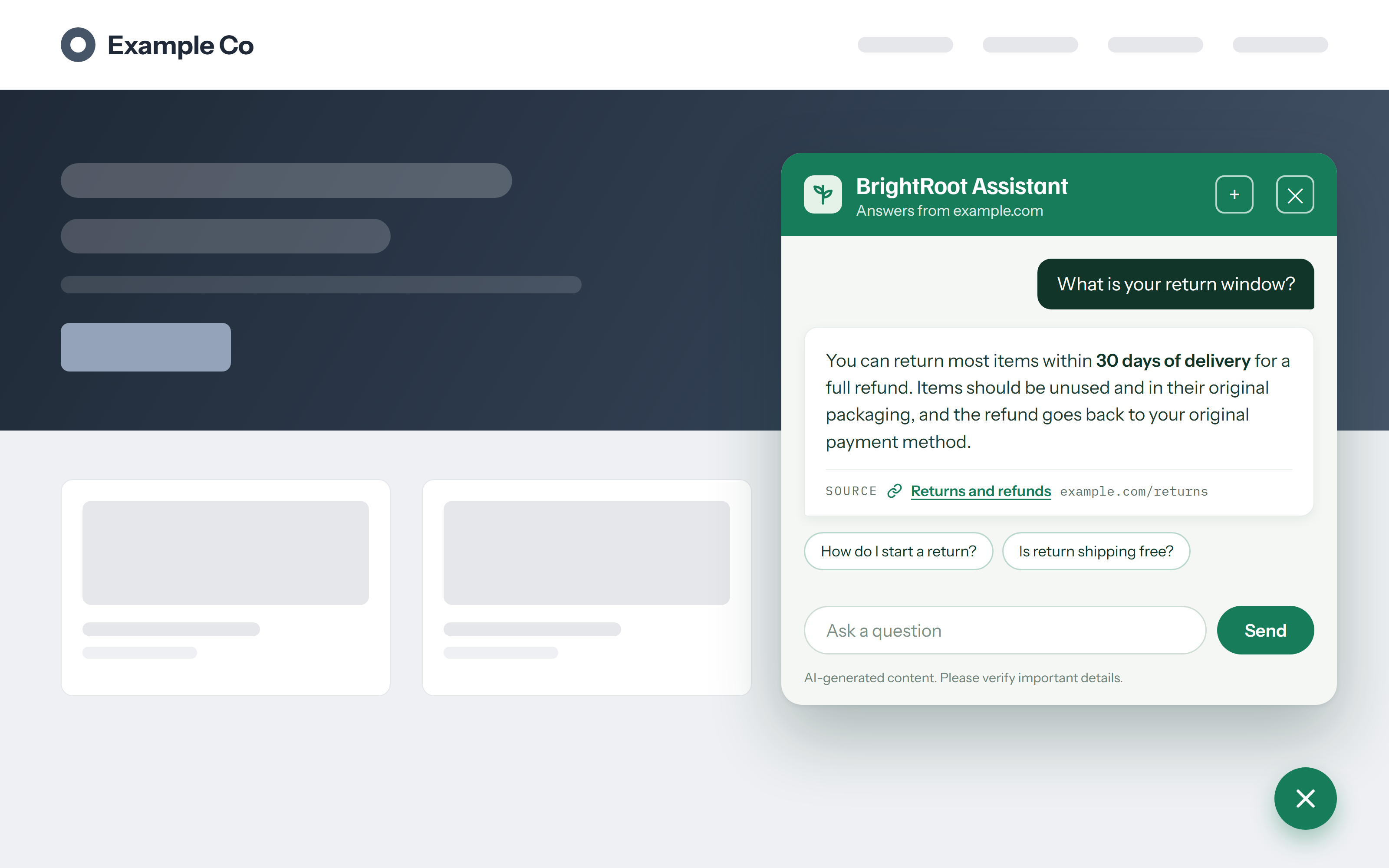
BrightRoot reads everything you’ve published (your pages, your guides, your documents) and turns it into an intelligent search and a friendly assistant for your visitors, on your site or inside your app. Ask a question, get a real answer, with links to exactly where it came from.
What it does
Answers, not just links.
Visitors don’t want ten blue links. They want the answer. BrightRoot gives a clear, written answer and shows its sources, so every answer can be trusted and verified with one click.
- 1Schedules: each section of your site can be re-read hourly, daily, or weekly, so fast-moving pages like pricing refresh more often than long-form guides.
- 2No maintenance: publishing on your site is the only step; BrightRoot notices the change on the next crawl.
- 3Verification: every answer cites the exact pages it came from. Click a citation to open the source and check it yourself.
01 · Assistant
An assistant that knows your business.
A small chat bubble on your site or in your app, in your colors, speaking in your voice. It answers questions the way your best support person would, because it learned from your own content and nothing else. It never invents answers.
02 · Setup
Set up in minutes, not months.
Tell us your website address. That’s genuinely it. We read your site, and your search page and assistant are ready. Adding it to your site or app is a single line. Your developers will smile.
✓ one line of code is the entire install03 · Freshness
Always up to date.
Publish a new page, change a price, update a policy, and BrightRoot notices and quietly stays current on your schedule. No re-uploading, no maintenance, no stale answers.
04 · Brand
Your brand, everywhere.
Choose your colors, your welcome message, your assistant’s name, and the look of your search page from eight ready-made styles. Everything your visitors see feels like you, because it is.
05 · Insight
See what your visitors are really asking.
Every question asked is a window into what your customers want. See what people search for, where they don’t find answers, and what to publish next. Your content strategy, informed by real demand.
Top questions · this week1,284 searches
How it works
Three steps, one afternoon at most.
Share your website
We read everything you’ve made public.
Make it yours
Pick your style, your colors, your assistant’s voice.
Go live
Add one line to your site or app. Search and assistant, done.
See it in action
Ask it anything. Watch it answer.
A scripted replay of the assistant at work : real questions, plain answers, every one linked to its source.
See it on your content →