BrightRoot SurveyIntel

Turn survey responses into decisions. Faster.

SurveyIntel brings your survey data together and lets AI surface sentiment, trends, key drivers and changes across programs, without anyone working through thousands of responses by hand. Then ask it anything, the way you would ask a colleague.

See it on your surveys →

A BrightRoot product · every finding backed by its evidence

SurveyIntel turning survey data into clear insights

The problem

Survey data piles up faster than anyone can read it.

Scores sit in one tool, written comments in another, and every program asks its questions a little differently. By the time someone has built the spreadsheet, the moment to act has passed. SurveyIntel reads all of it together and tells you what changed, who is affected and where to act, with the evidence attached.

Every source, together

Scores, audience details and written feedback from all your survey programs in one place, however they reach you today. New sources are connected for you.

Findings backed by evidence

Each finding shows why it matters and what it rests on: the responses behind it, the group affected, and how strong the sample is.

Just ask

“What changed most this period?” “Where do scores and comments disagree?” Ask across your surveys and get an answer you can trace back to the data.

How it works

Three steps from responses to decisions.

1

Connect your survey data

Bring in any survey source, as an upload or a direct connection. Setup is quick, and each new period joins the right program.

2

AI finds what matters

Scores, group gaps and written feedback are read together, and the strongest findings rise to the top.

3

Act on the evidence

See your priorities, ask follow-up questions, compare programs and export the analysis for your report.

Inside SurveyIntel

Everything the insights team asks for.

Key findings

Priorities, ranked by evidence.

Open a program and the findings that matter most are already waiting, each with the reason it was prioritised and the evidence it stands on.

  • Every finding cites its responses and how far a group trails
  • Conflicting signals flagged, such as good scores with negative comments
  • Filter by period and audience in a click
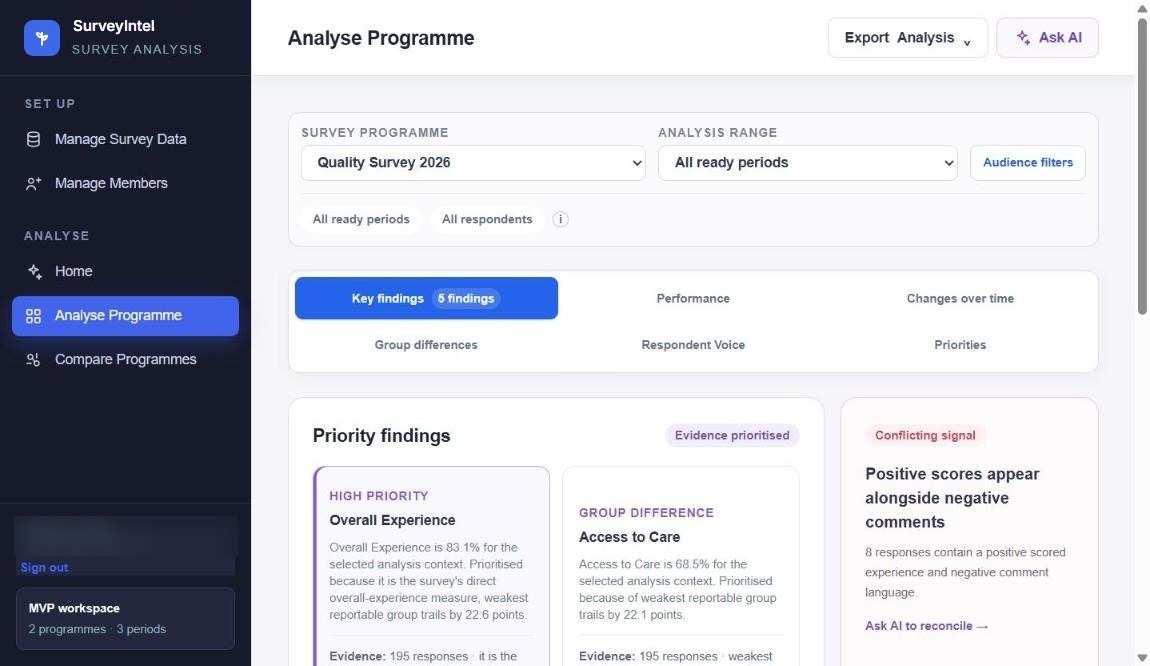
Analyse program · Key findings
Priority findings for a survey program, each with its evidence, and a conflicting-signal card
Group differences

See exactly who is affected.

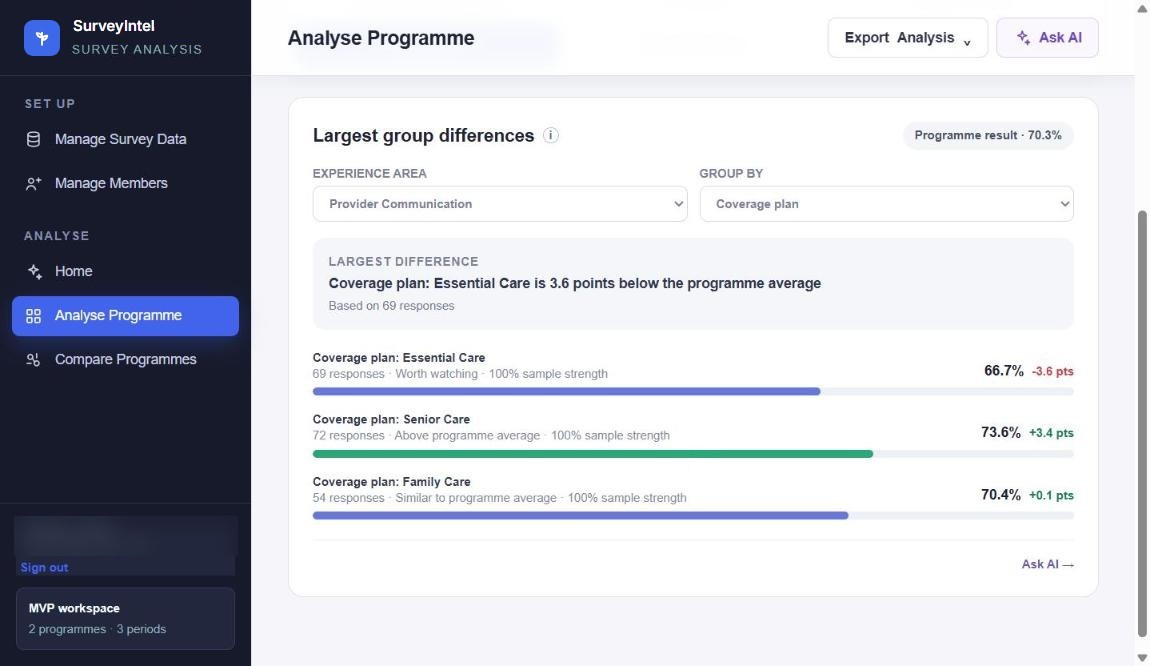
Break any experience area down by audience and SurveyIntel shows the largest gaps first, with response counts and sample strength beside every result.

  • The biggest difference pointed out for you
  • Each group compared with the program average
  • Small samples flagged, so nothing is over-read
Analyse program · Group differences
Largest group differences for an experience area, each group against the program average
Respondent voice

Hear what people actually said.

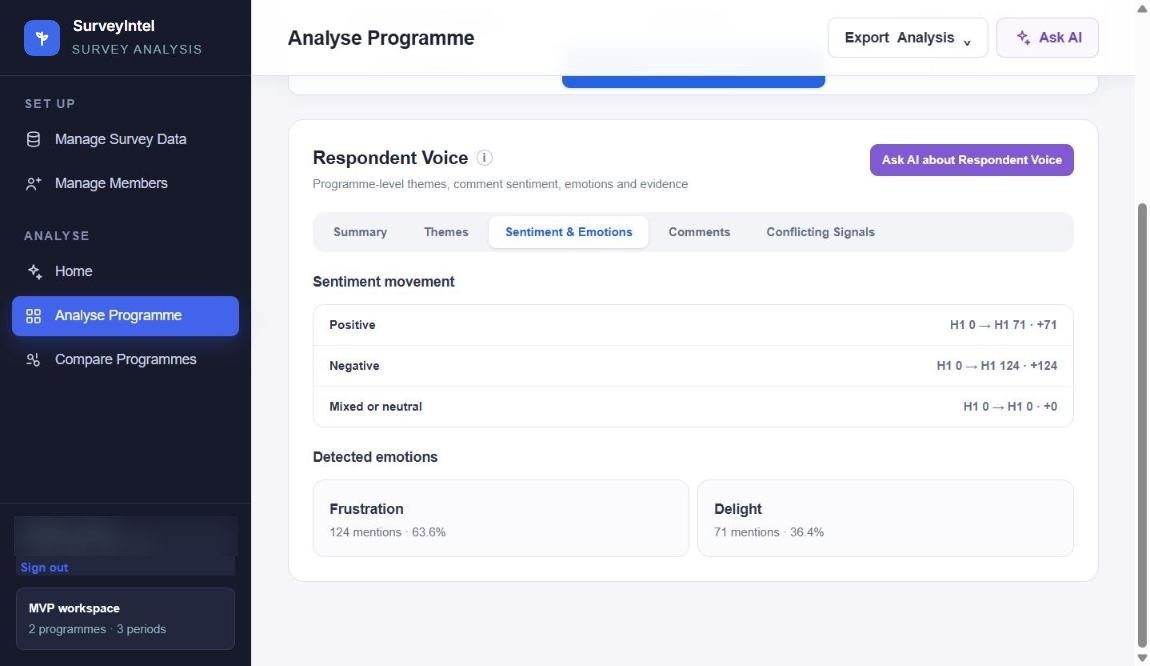
Written comments become themes, sentiment and emotions you can follow over time, without reading every response yourself.

  • Themes and sentiment movement by period
  • Emotions detected, such as frustration and delight
  • The original comments one click away
Analyse program · Respondent voice
Sentiment movement and detected emotions from written survey comments
Ask AI

Ask your surveys anything.

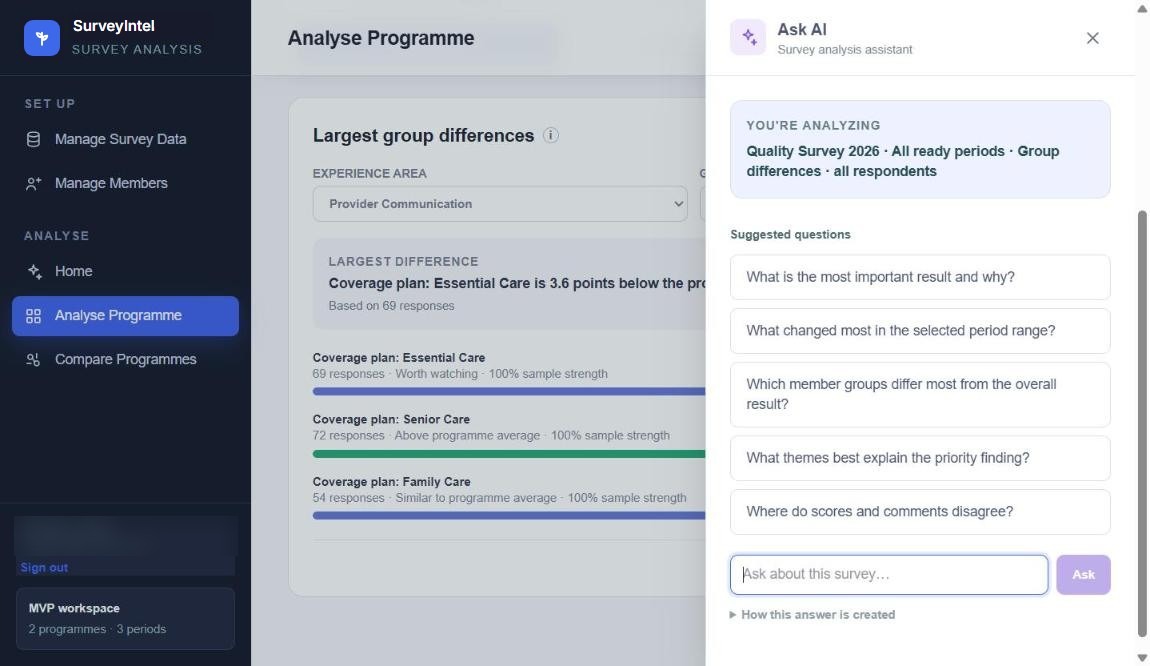
The assistant knows what you are looking at, suggests the questions worth asking, and shows how each answer was created.

  • Ask questions across all your surveys
  • Suggested questions for the view you are in
  • Answers traced back to the surveys and responses behind them
Ask AI
The Ask AI panel with the current analysis context and suggested questions
Compare programs

Compare programs that ask differently.

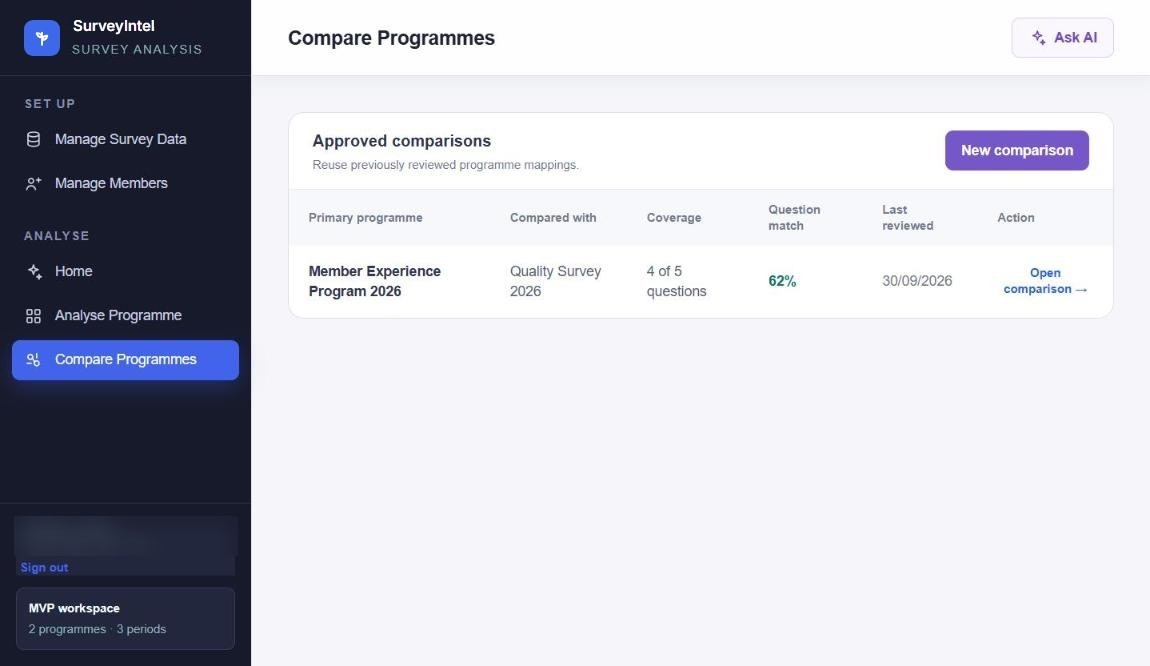
Map the questions two programs share, see how much of each one lines up, and reuse the comparison every time new data arrives.

  • Question coverage and match shown up front
  • Reviewed comparisons saved and reused
  • Trends and KPI movement across programs
Compare programs
Approved program comparisons with question coverage and match

Works with your data

Any survey source. New ones connected for you.

Keep collecting surveys the way you do today. SurveyIntel takes in all your survey data sources, and if you use one it doesn’t connect to yet, we connect it. Each program keeps its periods in order, so every new round of results lands where it belongs.

✓All your survey data sources, in one place
✓Upload exports or connect directly
✓New sources connected on request
✓Export the analysis for your reports
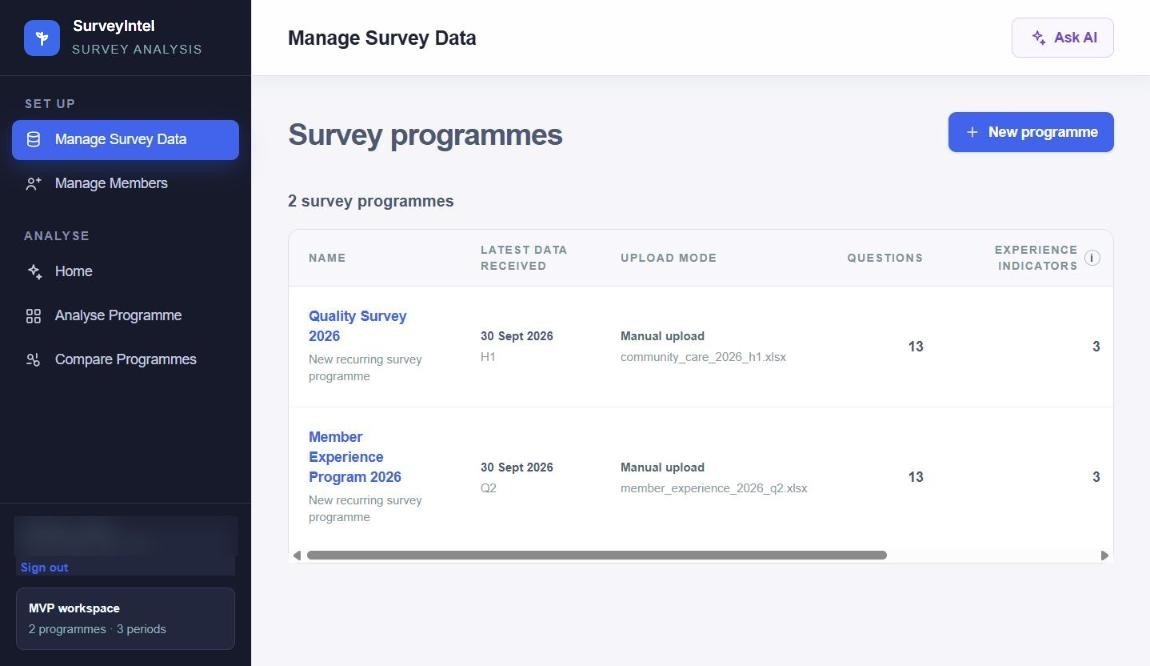
Manage survey data
Survey programs with the latest data received and how it arrived

Where it earns its keep

Customer experience and NPS Member and patient experience Quality and service surveys Employee engagement and pulse Program evaluation Year-on-year program comparison

Questions

Before you ask.

Which survey tools does it work with?

All of them. SurveyIntel takes in data from your existing survey sources, as an upload or a direct connection. If you use a source it doesn’t connect to yet, we add it for you.

How long does setup take?

Not long. You bring your survey data as it is today, we connect your sources, and analysis starts as soon as your first program is in.

Do we have to change how we run surveys?

No. Keep collecting surveys with the tools you already use. SurveyIntel works on the results.

Can I see where an answer came from?

Yes. Every finding shows the responses and groups it is based on, and answers from Ask AI point back to the surveys and responses behind them.

Does it read written comments, or only scores?

Both. Scores, audience groups and written feedback are analysed together, so you see themes, sentiment and emotions alongside the numbers, and spot where they disagree.

Can we compare programs that ask different questions?

Yes. SurveyIntel maps the questions programs share, shows how closely they match, and saves each reviewed comparison so you can reuse it.

Request a demo

See what your surveys are telling you.

Send us your address and we’ll walk you through SurveyIntel on your own survey data: your programs, your audiences, your comments.

“Know what changed, who is affected, and where to act.”

any source

Data in

ask anything

Questions

evidence

Every finding